

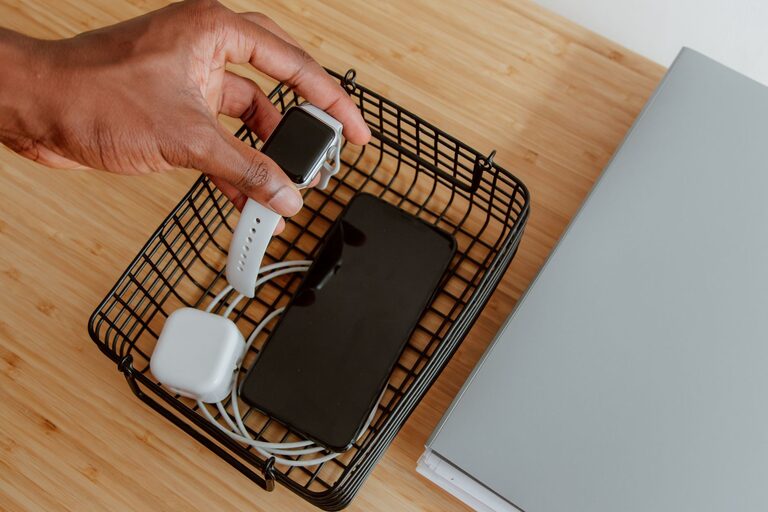
Setting up a dedicated charging station for your devices can simplify daily routines, reduce clutter, and ensure your gadgets are always ready to go. Whether you have smartphones, tablets, smartwatches, or wireless earbuds, having one organized spot to charge everything helps keep your space neat and your devices powered.
In this guide, we’ll walk you through how to create a practical and efficient charging station at home.
Why Set Up a Charging Station?
With multiple devices in most households, charging cables can quickly become tangled and scattered. A charging station offers several benefits:
– Centralizes all charging needs in one area.
– Keeps cables organized and prevents damage.
– Saves time searching for chargers and cords.
– Creates a clean, attractive spot for devices.
Choosing the Right Location
Start by selecting a convenient, accessible spot for your charging station. Consider these factors:
– Near a power outlet: Avoid stretching cables or using extension cords.
– Central location: A spot that everyone in the household can easily access.
– Flat surface: A desk, table, or shelf works well.
– Away from water sources to ensure safety.
Popular locations include entryway consoles, nightstands, or home office desks.
What You’ll Need
Gather the essential components to build your charging station:
– Power strip or surge protector: Preferably with multiple USB ports and enough outlets.
– Charging cables: Compatible with all your devices (e.g., USB-C, Lightning, Micro-USB).
– Charging dock or stand: Helps hold devices upright and organized.
– Cable organizer: Clips, ties, or sleeves to keep cords tangle-free.
– Container or tray: To store smaller gadgets like wireless earbuds or accessories.
Optional additions:
– Labels for cables or device spots.
– Wireless charging pads if your devices support them.
Step-by-Step Setup Guide
1. Prepare the Surface
Clear off your chosen area and clean it. Make sure it’s large enough to accommodate all devices comfortably.
2. Arrange Your Power Source
Plug your power strip or surge protector into the wall outlet. If needed, use an extension cord rated for your devices but keep it neat and hidden if possible.
3. Organize Charging Cables
Sort your cables by type and length. Use cable organizers such as clips or ties to prevent tangling. Label the cables if helpful.
4. Position Charging Stands or Docks
Place stands or docks on the surface. These help keep devices upright and prevent slips. They also make it easy to see when devices are charging.
5. Add Wireless Charging Pads (Optional)
Set wireless charging pads in convenient spots on the surface if your devices support Qi charging. This reduces the number of cables needed.
6. Designate Device Spots
Assign a spot for each device or type of device. This can be marked with a small label or simply arranged logically, such as grouping phones together.
7. Store Accessories
Use small containers or trays to hold earbuds, chargers, adapters, or batteries. This keeps small items from getting lost.
Tips to Maintain Your Charging Station
– Keep it clutter-free: Regularly remove devices that are fully charged.
– Check cables for wear: Replace frayed or damaged cables promptly.
– Use smart chargers: These can adjust power output and prevent overcharging.
– Keep chargers off when not needed: This saves energy and reduces heat.
– Upgrade as needed: Add more ports or wireless options if your device collection grows.
Alternative Ideas
– Wall-mounted charging station: Saves desk or table space.
– Portable charging station: Ideal for travel or moving around the house.
– Multi-device charging drawer: Conceals devices and cables inside a furniture drawer.
Final Thoughts
Creating a dedicated charging station is a simple way to bring order and efficiency to your home tech setup. With a few thoughtful choices and some organization, you can make charging hassle-free and keep your devices ready anytime you need them. Give it a try, and enjoy a tidier, more functional space!